Difference between revisions of "Canvas Browser Panel"
From Synfig Studio :: Documentation
m |
m (Added icon and moved image) |
||
| Line 2: | Line 2: | ||
[[Category:Panels]] | [[Category:Panels]] | ||
| − | + | [[Image:canvas_icon.png|64px]] | |
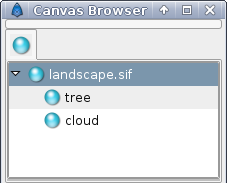
The canvas browser dialog shows the tree of canvases that are present in the currently selected document. [[Export|Exporting]] a the canvas parameter of a [[Paste Canvas]] layer will cause the canvas to be added to the canvas browser dialog. Double-clicking on a subcanvas in the dialog will open a new workarea window allowing you to work on the subcanvas in isolation. | The canvas browser dialog shows the tree of canvases that are present in the currently selected document. [[Export|Exporting]] a the canvas parameter of a [[Paste Canvas]] layer will cause the canvas to be added to the canvas browser dialog. Double-clicking on a subcanvas in the dialog will open a new workarea window allowing you to work on the subcanvas in isolation. | ||
| + | |||
| + | http://i209.photobucket.com/albums/bb207/rore4wiki/Synfig/dialogs/Capture-CanvasBrowser.png | ||
Revision as of 02:32, 27 February 2008


The canvas browser dialog shows the tree of canvases that are present in the currently selected document. Exporting a the canvas parameter of a Paste Canvas layer will cause the canvas to be added to the canvas browser dialog. Double-clicking on a subcanvas in the dialog will open a new workarea window allowing you to work on the subcanvas in isolation.